Codex 네이티브
성공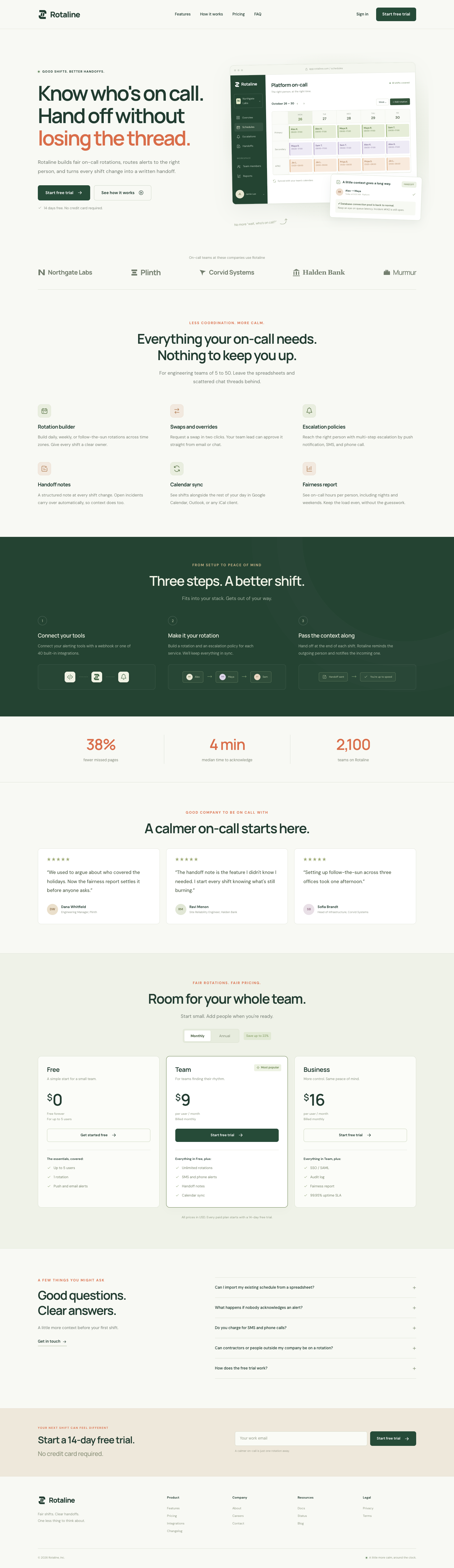
👍 0 · 투표하기
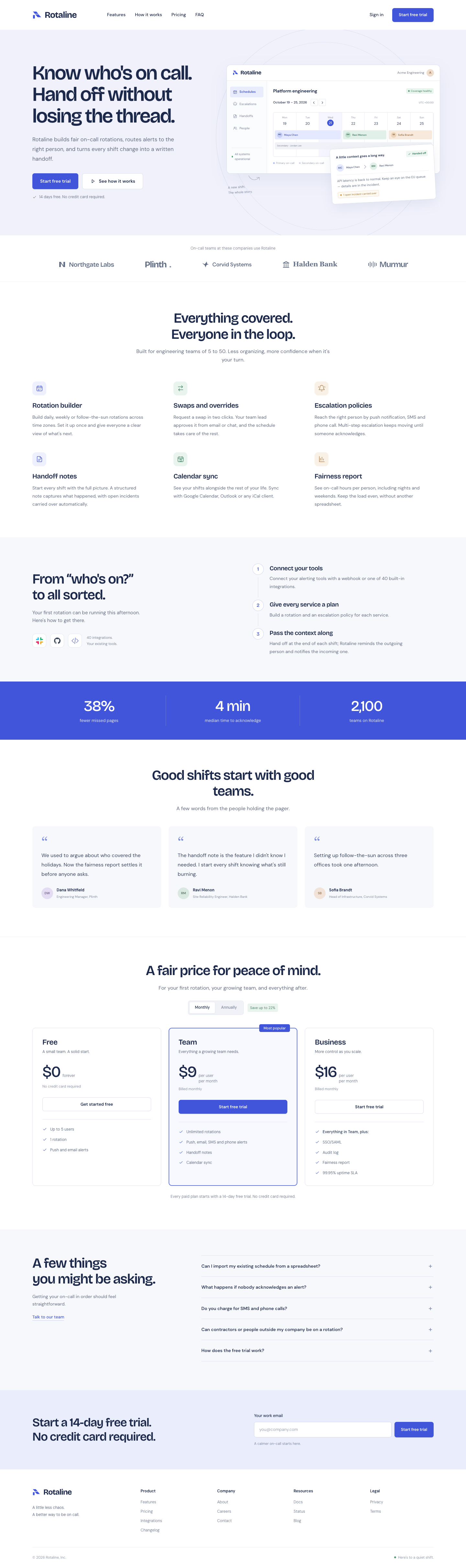
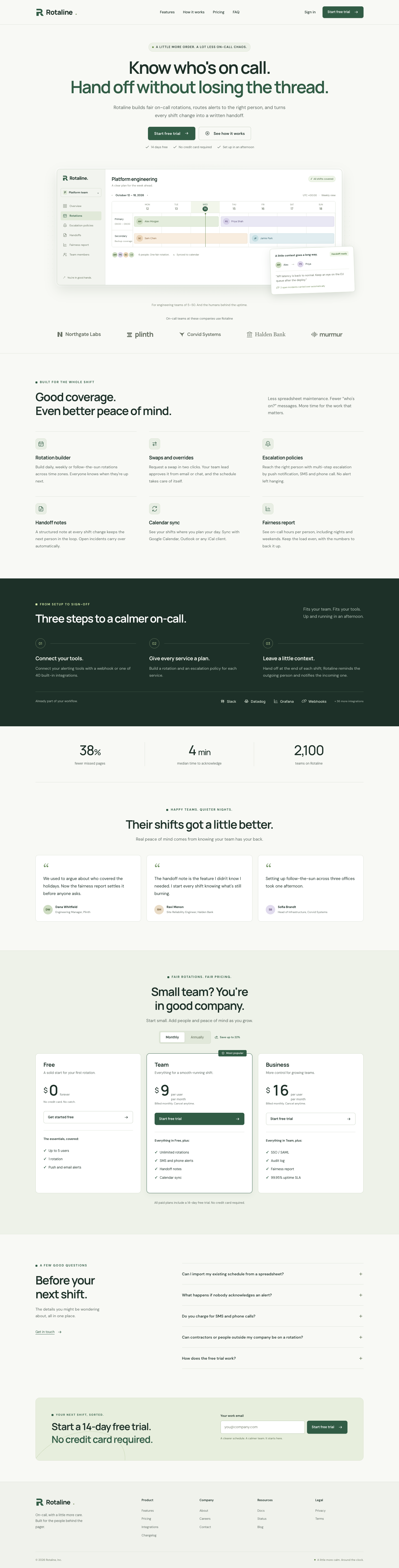
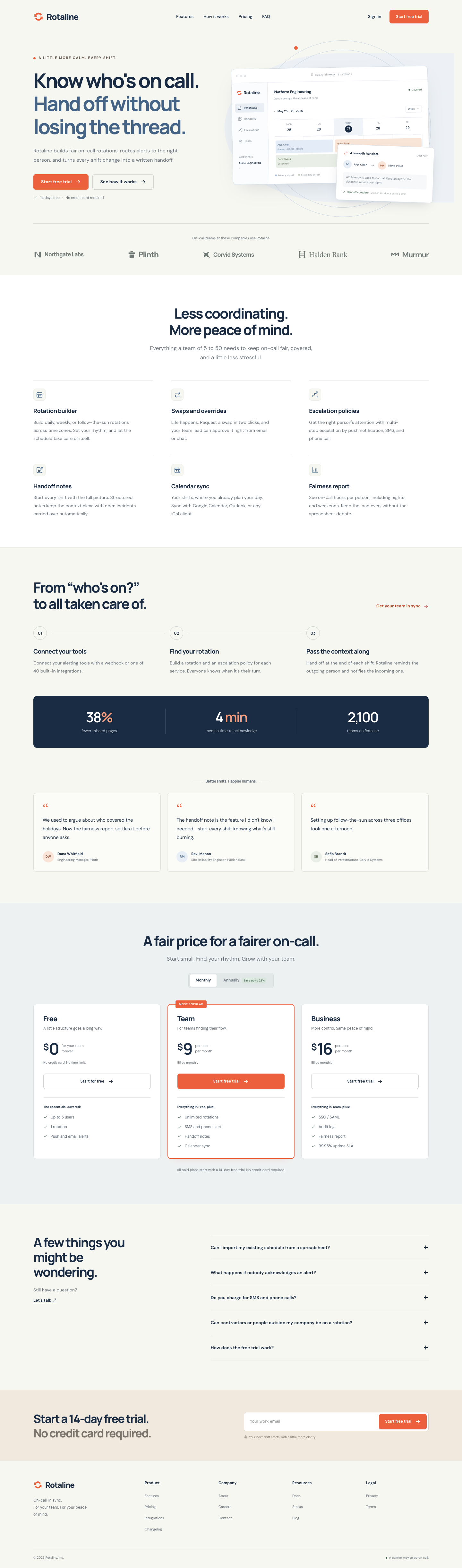
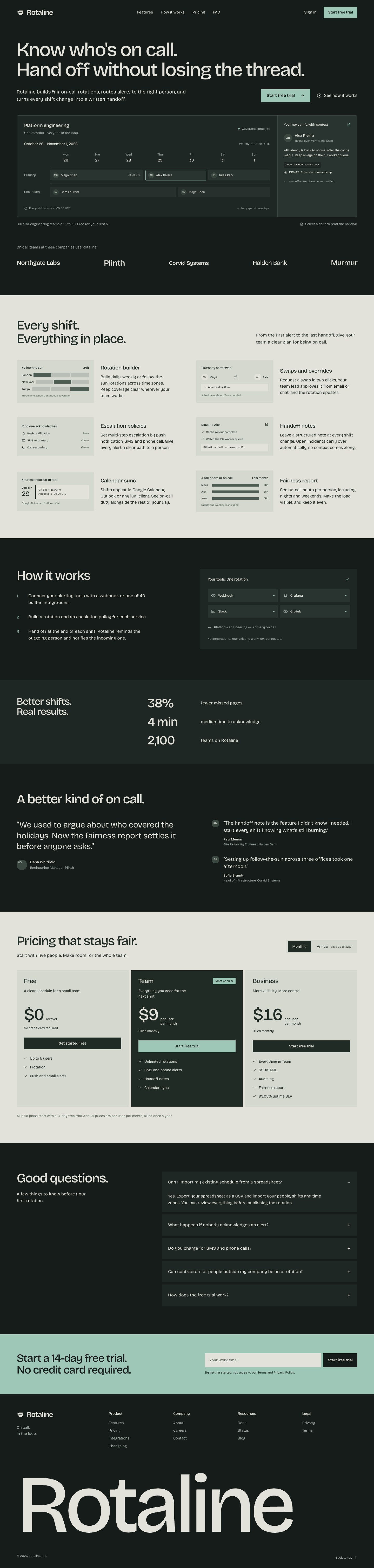
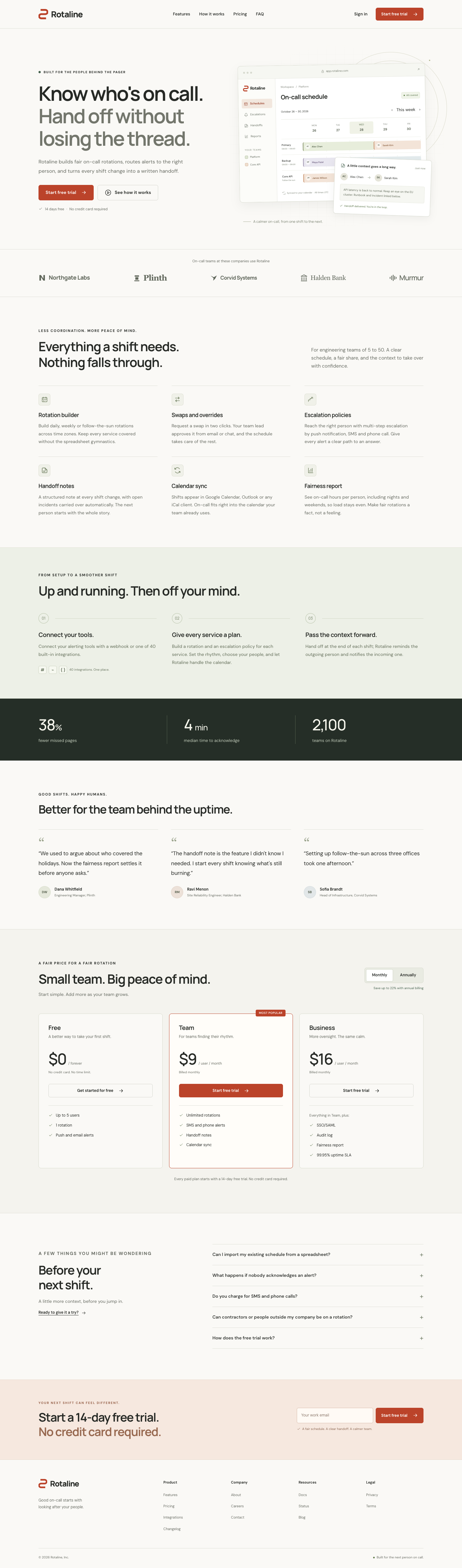
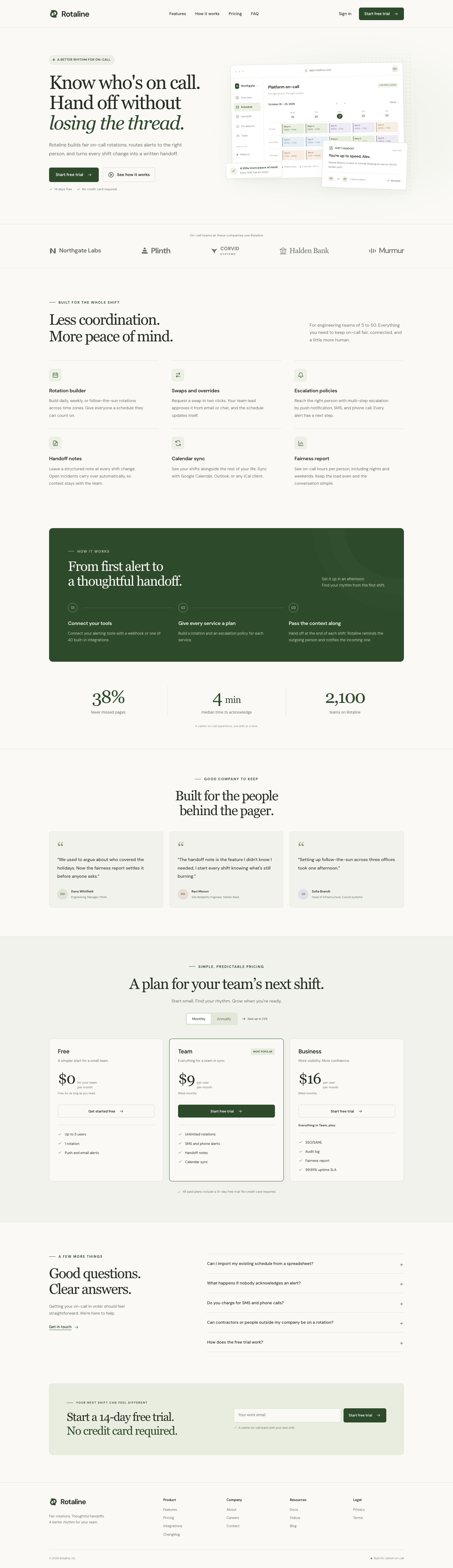
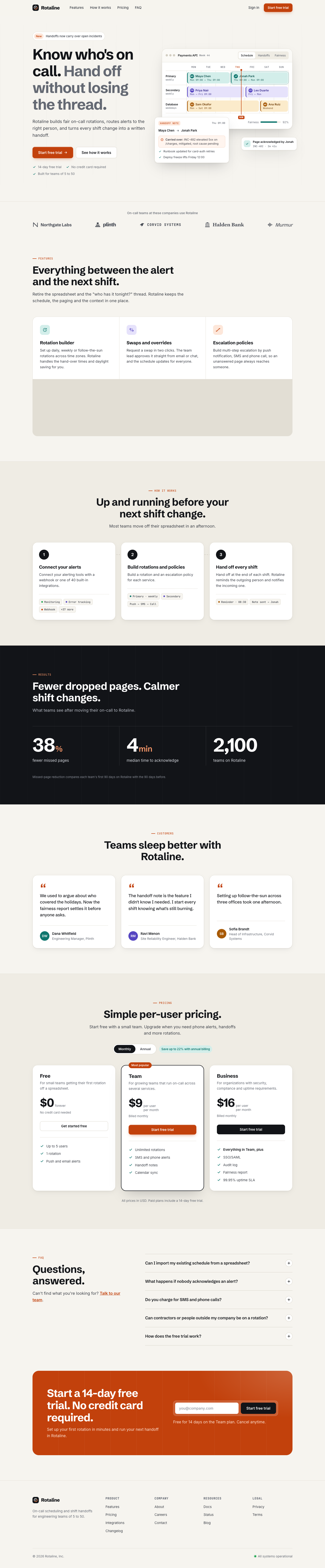
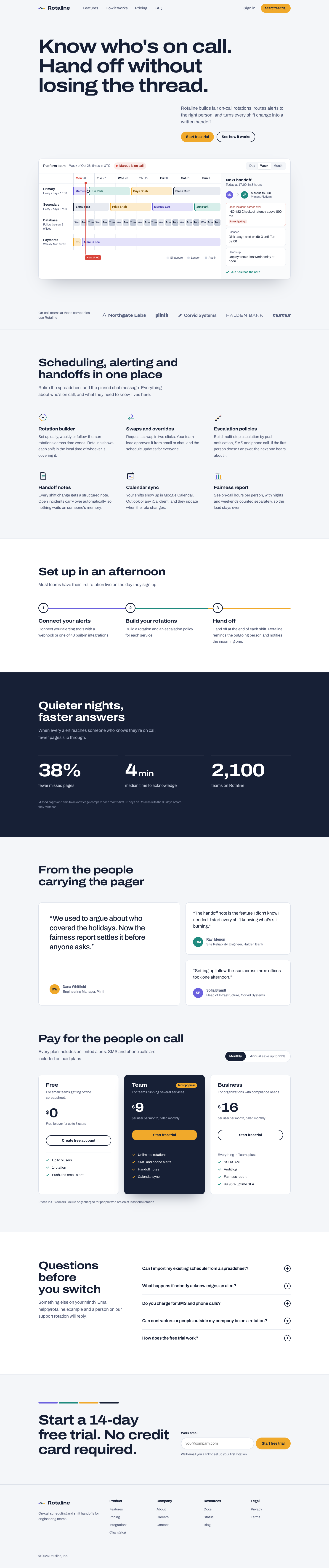
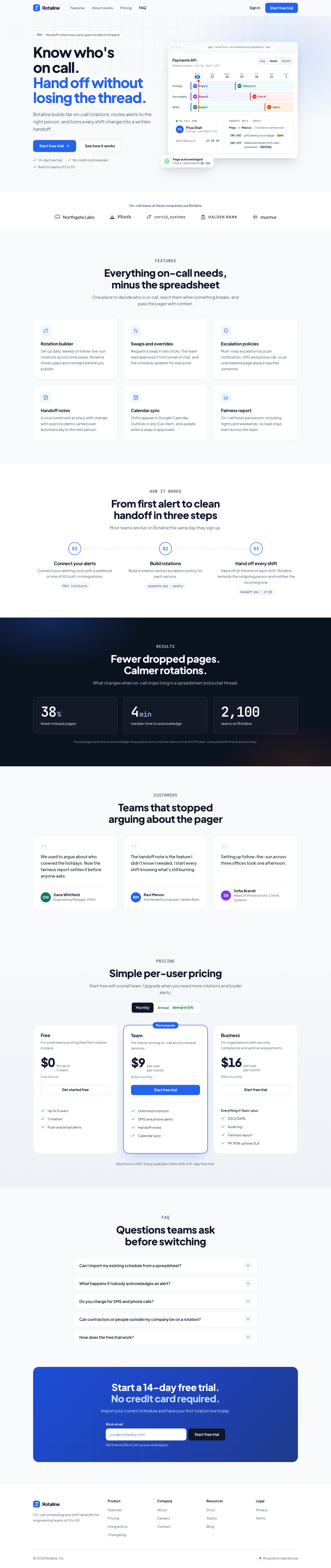
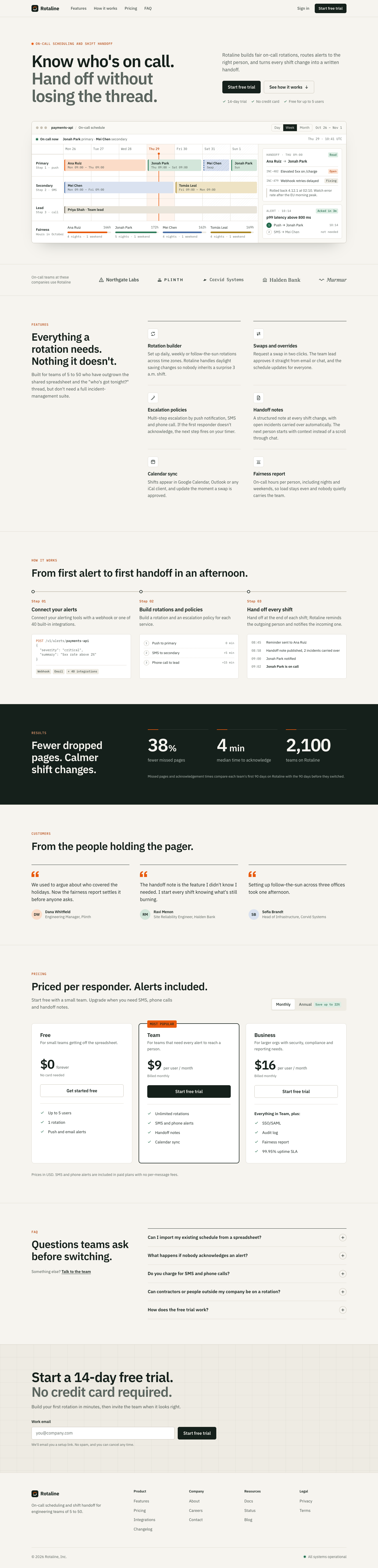
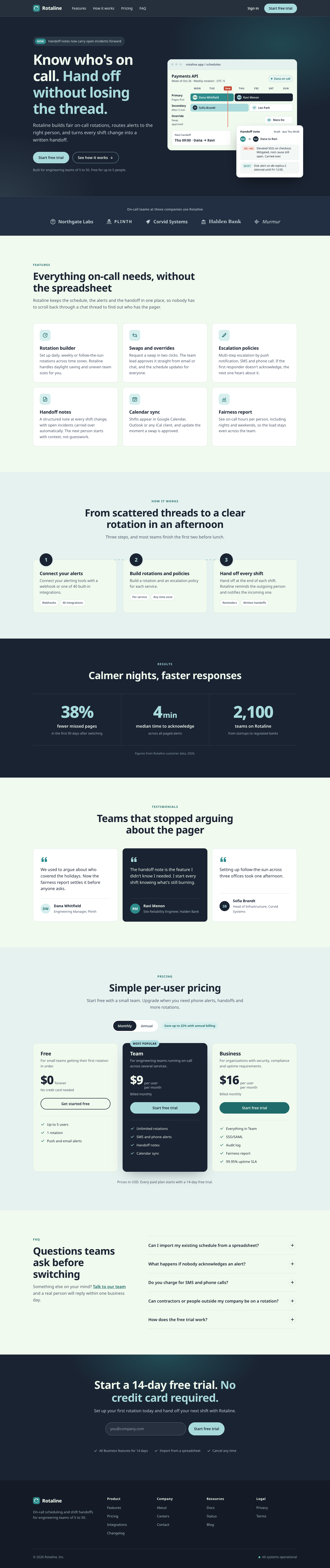
가상의 온콜 일정 관리 도구 Rotaline의 마케팅 페이지입니다. 제품 일러스트가 들어간 히어로, 기능, 사용 단계, 성과, 고객 후기, 월간/연간 전환 토글이 있는 요금제, FAQ, 푸터로 구성됩니다.
prompts/landing-saas.md · 버전 1. 모든 skill을 나란히 보여 줍니다. 열은 skill, 행은 에이전트입니다.
에이전트에 보낸 그대로의 영어 원문이며, 번역하지 않았습니다.
Build a marketing landing page for Rotaline, a fictional SaaS product. Rotaline is an on-call scheduling and shift handoff tool for engineering teams of 5 to 50 people. It replaces spreadsheets and chat threads for deciding who is on call, and it makes sure the next person knows what happened during the previous shift.

## Sections and content

1. **Header.** Wordmark "Rotaline". Navigation links: Features, How it works, Pricing, FAQ. A "Sign in" link and a "Start free trial" button. On small screens the navigation must still be reachable.

2. **Hero.** Headline: "Know who's on call. Hand off without losing the thread." Supporting line: "Rotaline builds fair on-call rotations, routes alerts to the right person, and turns every shift change into a written handoff." Two calls to action: "Start free trial" and "See how it works". Include an illustration of the product (a schedule view with a few named shifts) made with inline SVG or HTML/CSS.

3. **Customer strip.** Label: "On-call teams at these companies use Rotaline". Five fictional company names: Northgate Labs, Plinth, Corvid Systems, Halden Bank, Murmur.

4. **Features.** Six features, each with a title and a one or two sentence description:
   - Rotation builder: daily, weekly or follow-the-sun rotations across time zones.
   - Swaps and overrides: request a swap in two clicks; the team lead approves it from email or chat.
   - Escalation policies: multi-step escalation by push notification, SMS and phone call.
   - Handoff notes: a structured note at every shift change, with open incidents carried over automatically.
   - Calendar sync: shifts appear in Google Calendar, Outlook or any iCal client.
   - Fairness report: on-call hours per person, including nights and weekends, so load stays even.

5. **How it works.** Three numbered steps:
   1. Connect your alerting tools with a webhook or one of 40 built-in integrations.
   2. Build a rotation and an escalation policy for each service.
   3. Hand off at the end of each shift; Rotaline reminds the outgoing person and notifies the incoming one.

6. **Results.** Three figures with labels: "38% fewer missed pages", "4 min median time to acknowledge", "2,100 teams on Rotaline".

7. **Testimonials.** Three quotes, each with a name, role and company:
   - "We used to argue about who covered the holidays. Now the fairness report settles it before anyone asks." (Dana Whitfield, Engineering Manager, Plinth)
   - "The handoff note is the feature I didn't know I needed. I start every shift knowing what's still burning." (Ravi Menon, Site Reliability Engineer, Halden Bank)
   - "Setting up follow-the-sun across three offices took one afternoon." (Sofia Brandt, Head of Infrastructure, Corvid Systems)

8. **Pricing.** A monthly / annual billing toggle that updates the displayed prices. Three plans:
   - Free: $0. Up to 5 users, 1 rotation, push and email alerts.
   - Team: $9 per user per month billed monthly, $7 billed annually. Unlimited rotations, SMS and phone alerts, handoff notes, calendar sync. Mark this plan as the most popular.
   - Business: $16 per user per month billed monthly, $13 billed annually. Everything in Team plus SSO/SAML, audit log, fairness report, 99.95% uptime SLA.
   Each plan has a call-to-action button.

9. **FAQ.** Five questions with answers that expand and collapse:
   - Can I import my existing schedule from a spreadsheet?
   - What happens if nobody acknowledges an alert?
   - Do you charge for SMS and phone calls?
   - Can contractors or people outside my company be on a rotation?
   - How does the free trial work?
   Write a short answer (one to three sentences) for each.

10. **Final call to action.** Text: "Start a 14-day free trial. No credit card required." An email input and a "Start free trial" button.

11. **Footer.** Four link columns: Product (Features, Pricing, Integrations, Changelog), Company (About, Careers, Contact), Resources (Docs, Status, Blog), Legal (Privacy, Terms). Copyright line: "© 2026 Rotaline, Inc." Links may point to `#`.

## Output requirements

- Write exactly one file named `index.html` in the current working directory. Put all HTML, CSS and JavaScript in that file.
- Do not reference remote images. Any images, icons or illustrations must be inline SVG or CSS.
- You may load fonts from Google Fonts and JavaScript or CSS libraries from well-known public CDNs (for example cdnjs, jsDelivr or unpkg).
- The page must work when `index.html` is opened directly from disk, and it must be usable at both desktop (1440px wide) and mobile (390px wide) viewport widths.
- All visible text is in English. Use the names, numbers and copy given above; write any additional copy a section needs.
- Do the whole task in one pass. Do not ask questions; make your own decisions and finish with the file written.
skill 셀에는 끝에 문장 하나를 덧붙입니다: Use the <name> skill.(Claude Code) 또는 Use the $<name> skill.(Codex).
👍 0 · 투표하기
👍 0 · 투표하기
👍 0 · 투표하기
👍 0 · 투표하기
👍 0 · 투표하기
👍 0 · 투표하기
👍 0 · 투표하기
👍 0 · 투표하기
👍 0 · 투표하기
👍 0 · 투표하기

👍 0 · 투표하기

👍 0 · 투표하기
👍 0 · 투표하기
👍 0 · 투표하기